
In B2B wholesale or consumables, the most painful thing is a regular customer who stops ordering without a word. This guide shows how to work out when each customer is due to reorder from your order history, and contact them before they run out, so more of your regular customers reorder with you.
Why regular customers leave
Often it is not a product problem. The customer simply ran out of stock, needed more urgently, and bought from whoever contacted them first. Your salespeople are busy chasing new customers, and by the time the boss reviews the report, one customer has not ordered for two months. A call at that point often finds they have already bought elsewhere.
If a customer’s reorder cycle only lives in a salesperson’s head or notebook, it leaves when that person leaves.
Find each customer’s reorder cycle
Your invoices and delivery orders already hold the data: which customer, what they ordered, how much and on which date. Collect the last 6 to 12 months and you can work out how many days a customer usually takes between orders. For example, customer A may order packaging boxes about every 4 weeks.
The cycle is only a useful guide for customers who have ordered at least 3 times. For customers with fewer orders, do not force a number.
4 steps to set up reorder reminders
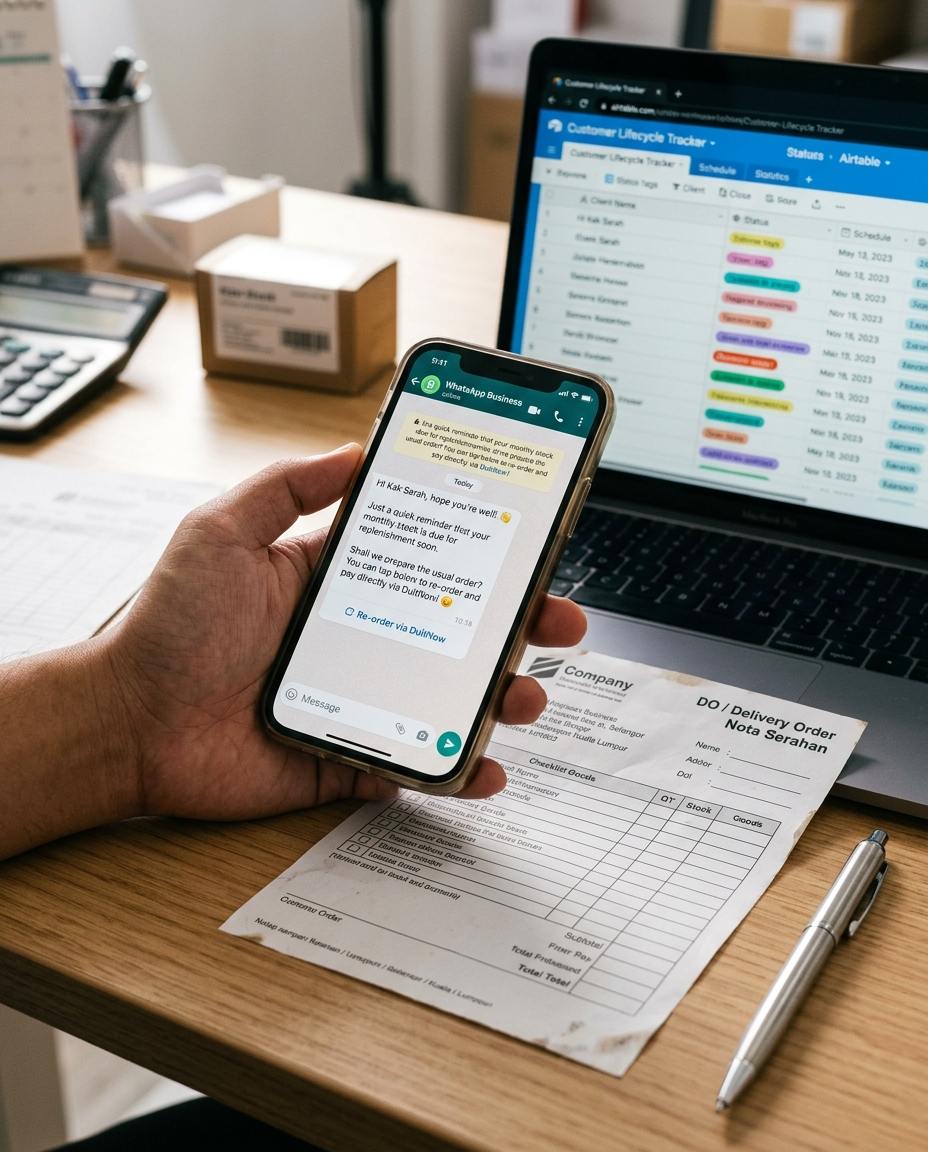
- Organise the order records. Put invoice or DO data into Airtable, HubSpot or Google Sheets with one row per customer, recording the last order date and the average gap.
- Set the reminder date. Three to five days before the next expected order date, notify the salesperson in charge or prepare a draft message.
- Contact them on WhatsApp. Use a tool such as SleekFlow or Respond.io and keep the tone the way you normally talk to the customer, for example: “Hi Kak Sarah, the boxes from last month should be running low. Same 50 cartons this time?”
- Make it easy to confirm. Include a simple way to confirm the order. If you want to collect payment by DuitNow or FPX, that needs a separate payment gateway, so ask your bank or provider first.
At the start, we suggest a salesperson reads each message before it goes out, rather than sending everything automatically. Some customers order irregularly, and an automatic message can feel awkward.
Things to watch for
- WhatsApp messages you start need the customer’s consent and an approved template. Read the latest WhatsApp Business rules before you begin.
- Use of customer data must follow the PDPA (Personal Data Protection Act), especially personal contact numbers.
- A reminder is not nagging. If a customer says they do not need stock right now, note it and ask again next cycle.
Is it worth it?
If you have only a dozen or so regular customers, one Google Sheet and a weekly look at the reminders is enough, and you do not need to buy any tool. You only need a system when you have more customers than your salespeople can remember. Try your 5 to 10 biggest customers first, see whether they respond, and then decide whether to expand.
Frequently asked questions
Must I use WhatsApp?
No. It depends on how your customers normally communicate. Some prefer email or phone calls.
What about customers who order irregularly?
Reminders work less well for them, so a salesperson should contact them personally on a regular basis.
Which tools do I need to buy?
Google Sheets is enough to start. Tool prices and features change, so check the official information before you buy.
Sources: official WhatsApp Business documentation, the Personal Data Protection Act 2010 (PDPA), and the official websites of the tools mentioned. This is general information, not professional advice.